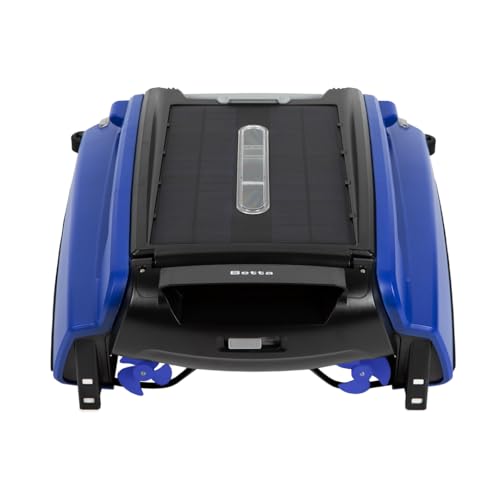
Solar Pool Skimmer Troubleshooting Guides
Betta Not Working? Start With the Symptom
First separate the symptom: no movement, circling, repeated stranding, poor collection or failed control. Read the exact Betta model and current indicator before changing settings. A stationary robot may be in a documented pause or low-energy state; it is not automatically a failed motor.
As an Amazon Associate I earn from qualifying purchases. Prices and availability are shown on Amazon.
It does not start or has stopped
Compare the indicator with the status chart for that model. The SE manual distinguishes low-energy operation, sleep, remote control and a stranded condition. Record color and whether it is steady, flashing, alternating or absent; another model’s remembered light code is not a substitute.
A charging or low-energy problem belongs in the charging guide. Combined red-and-green flashing on SE belongs in the stranded-condition guide. Neo owners should also check the physical switch: APP starts paused until an app command or configured schedule, while AUTO/APP can run automatically without pairing.
It circles, hits a wall or stops at one feature
A repeated curve in open water differs from normal travel followed by a stop at a particular shelf. This page is the symptom-triage owner; the circling-or-not-turning guide owns asymmetric movement and wall detection, while the stuck guide owns repeatable interactions with a step, lip, ladder or opening.
After the exact manual’s shutdown, perform only its owner-accessible obstruction checks. Do not force a component or open a sealed cover. Physical damage or unusual behavior beyond routine care warrants service advice.
It moves, but misses debris or ignores a command
For poor collection, first distinguish floating material the robot reaches from settled debris or an inaccessible patch. Check the basket through the model’s normal removal and seating procedure, then use the collection guide if the symptom persists.
For a control problem, identify whether you mean a handheld remote or Neo’s app and gateway. Report whether automatic movement still works. A failed app connection and a machine that cannot propel itself are different observations.
The relevant checks do not resolve it
Send Betta the model and serial number, purchase record, indicator video, specific symptom and completed owner checks. Include whether it happens everywhere or only at one pool feature. Ask for the next model-specific step instead of repeating resets or ordering a part from the symptom alone.
Common questions
Should I reset everything first?
No. Identify the model, indicator and symptom first. A low-energy state, SE stranded warning and Neo APP-mode pause need different responses. Reset only when the matching manual or Betta support specifies it for that issue.
What information helps support most?
Send the exact model, a short video of the indicator and behavior, where the problem occurs, and the owner checks already completed. Include the serial number and purchase record through the official service route.
Sources & model instructions
Use the instructions for your exact model and revision. Performance figures are manufacturer claims.