Solar Pool Skimmer Troubleshooting Guides
Betta Skimmer Circling or Not Turning: A Model-Aware Check
A Betta traveling in circles and a Betta driving straight into a wall are different symptoms. Start by recording which one you see, the indicator behavior and whether remote control was recently used. That description helps avoid replacing a part when the issue could be an obstruction, operating mode or pool geometry.
As an Amazon Associate I earn from qualifying purchases. Prices and availability are shown on Amazon.
Identify the pattern before touching the machine
Watch from a secure position with nobody in the pool. Does the machine repeatedly curve toward the same side in open water, or does it travel normally until reaching one wall? Does it turn away from other walls? Record a short video if that can be done without approaching unsafe edges.
Note whether the behavior began after cleaning, a collision or a motor-related service. Also record your exact model. A symptom that appeared immediately after reassembly deserves a different first check from one that developed gradually during a heavy debris period.
Inspect moving parts with the power off
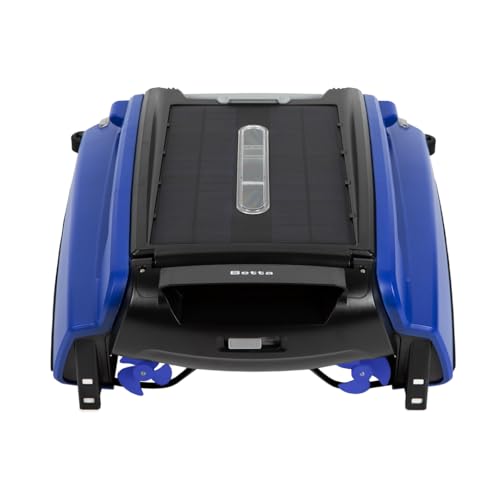
Remove and switch off the machine before inspecting propellers or clearing visible material. Betta's support guidance identifies obstructed or faulty propulsion components as possible causes of circling. Check for obvious strands, hair or debris without forcing a component or opening sealed housings.
If a propeller does not move as described in the manufacturer procedure, stop rather than repeatedly running it against resistance. If motors were recently changed, ask the service provider to verify the correct side and installation. Do not use trial-and-error electrical work to diagnose direction.
Check sensors and operating mode
For straight-ahead wall collisions, inspect the sensor area and its relationship to the waterline and pool wall. Gently clean as directed; avoid abrasive treatment. An unusual overhang or water level may create a detection problem that would not appear against another part of the pool.
On SE Plus, the manual distinguishes automatic and remote operation, including steady green indicators in remote mode. Use the model's documented return-to-auto procedure rather than assuming the unit is navigating automatically immediately after a directional command.
Retest once, then document persistent trouble
After completing permitted checks and reassembling correctly, observe a brief run in an unobstructed area. If the pattern persists, provide support with the video, model, indicator state, recent maintenance and the result of the power-off inspection. That is more useful than saying only that the robot is broken.
Do not keep restarting a machine that makes unusual noise, resists movement or repeatedly collides. Switch it off and use the manufacturer service route. If the problem occurs only at one pool feature, investigate that feature separately before concluding that the navigation system has failed.
Common questions
Does circling prove a bad motor?
No. Obstruction, propulsion imbalance or sensor-related trouble are possible explanations. Use permitted inspection steps and support diagnostics before selecting a replacement part.
Why does it go straight after using the remote?
Check the operating mode. SE Plus has a documented remote mode and return-to-auto procedure; consult the exact model manual rather than assuming all Betta controls behave identically.
Sources & model instructions
Use the instructions for your exact model and revision. Performance figures are manufacturer claims.